
Existing Auditor Recognition - OASIS Identification Number (OIN) Linking FAQs
How do I know what my OASIS Identification Number (OIN) is?
Section titled “How do I know what my OASIS Identification Number (OIN) is?”You can view your OIN using the publicly accessible Search & Track feature in OASIS (free registration) by searching for your name.
What if I have multiple OASIS Accounts?
Section titled “What if I have multiple OASIS Accounts?”Use the OASIS account (OIN) associated with your active authentications (the same one used to submit audit reports).
In a few cases, auditors have authentications for multiple standards spread over multiple OASIS accounts, or duplicate accounts for multiple AABs. In this case, use the OASIS account associated with your active 9100 authentication. IAQG Authentication will try to merge all active authentications into a single OASIS account at the end of the recognition process. You can only link a single OIN to a single IAQG Training account, and the latter will then become your Training & Authentication account.
If you have trouble linking your OASIS account or determining the right account to use, please submit a Support Ticket to the IAQG Training & Authentication Help Desk.
The recognition form says my OIN is already in use. What should I do?
Section titled “The recognition form says my OIN is already in use. What should I do?”This can happen if the Existing Auditor Recognition process was already completed on a different IAQG Training account. If you completed this, please note that you can only complete the recognition process on a single IAQG Training account. Regardless of your actions, reach out to the Help Desk for further assistance.
What if I do not remember my OASIS User ID?
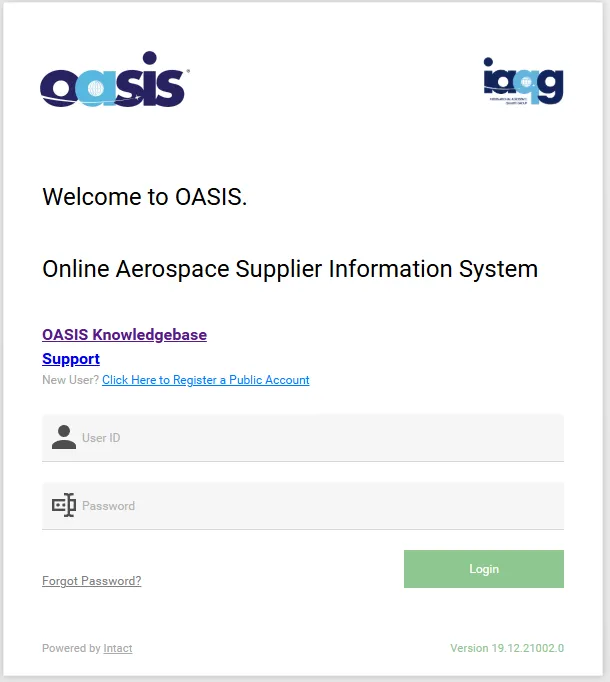
Section titled “What if I do not remember my OASIS User ID?”The OASIS User ID the one entered in the top field when logging into OASIS. If you have not logged into OASIS for a very long time and no longer remember how to login, please submit a Support Ticket to the OASIS Service Desk. You may also use the email address associated with your OASIS account to complete the Existing Auditor Recognition process without providing the OASIS User ID.
What if I do not know the email address associated with my OASIS account?
Section titled “What if I do not know the email address associated with my OASIS account?”Assuming you can log into OASIS normally, use your OASIS User ID (noted above) to complete the Existing Auditor Recognition process. It is not necessary to also provide your OASIS email address. This is intended as an alternative for those who cannot remember their User ID.
If you can log into OASIS, you can verify the email address registered to your account in this way:
- Log into OASIS using the account associated with your authentications (used to submit audit reports, etc.)
- After logging in, click on your User ID near the top-right corner, and from the dropdown menu choose “Profile”
- Click on the “Personal data” tab.
- Your email address will be listed in the “Contact info” section near the bottom of the page, with the Contact type set to “Email.”
What if I have more problems related to my OASIS account?
Section titled “What if I have more problems related to my OASIS account?”Please visit the IAQG OASIS Knowledgebase and Service Desk for any questions about OASIS.